
AI Visibility Tracking Product Tours
Get a guided look Meltwater's AI visibility tracking tool to understand how your brand appears in AI responses and the sources shaping those narratives.
Talk to SalesReady to explore?

AI visibility tracking
Understand how your brand appears in LLMs and how to use these insights proactively.
See how this works for your team
Take the tour, then connect with our team for a tailored walkthrough using your goals, workflows, and data.


Prefer to have a tailored demo?
Top rated by PR, communications and marketing teams on G2




Request a meeting
Enter your work email to get started.

AI Visibility Tracking FAQs
Traditional media monitoring tracks what journalists write and what people post on social—but AI platforms like ChatGPT, Gemini, and Perplexity are now shaping brand perception in different formats and ways that are invisible. GenAI Lens gives you a dedicated drilldown into those AI environments so you can see exactly how LLMs are describing your brand when people ask questions, giving you visibility into a conversation that's happening beyond traditional media.
GenAI Lens is built directly into your Meltwater platform alongside media monitoring, social listening, and consumer intelligence—giving you a complete view of how your brand shows up across traditional media, social conversations, and AI responses in one place.
The visibility score shows how often and prominently your brand appears in AI responses compared to competitors across different LLMs. It helps you spot which models you're strong on and which ones you're underindexed on, so you know exactly where to focus your efforts.
Yes, the Sources tab ranks which publications and content are most frequently cited in AI responses about your brand. This connects your earned media strategy directly to your AI visibility, showing you which content is influencing what AI says about you.
The Benchmarking tab shows your visibility score against key competitors across every AI model in one view. You can quickly see if you're outpacing competitors on Grok but getting beaten on Claude, making it clear where you have competitive gaps or advantages.
Topic folders let you organize your monitoring around specific areas like brand reputation, product positioning, or competitive landscape, while labels help you group multiple folders together for cross-topic analysis. This structure makes it easy to track performance across different strategic priorities without getting lost in data.
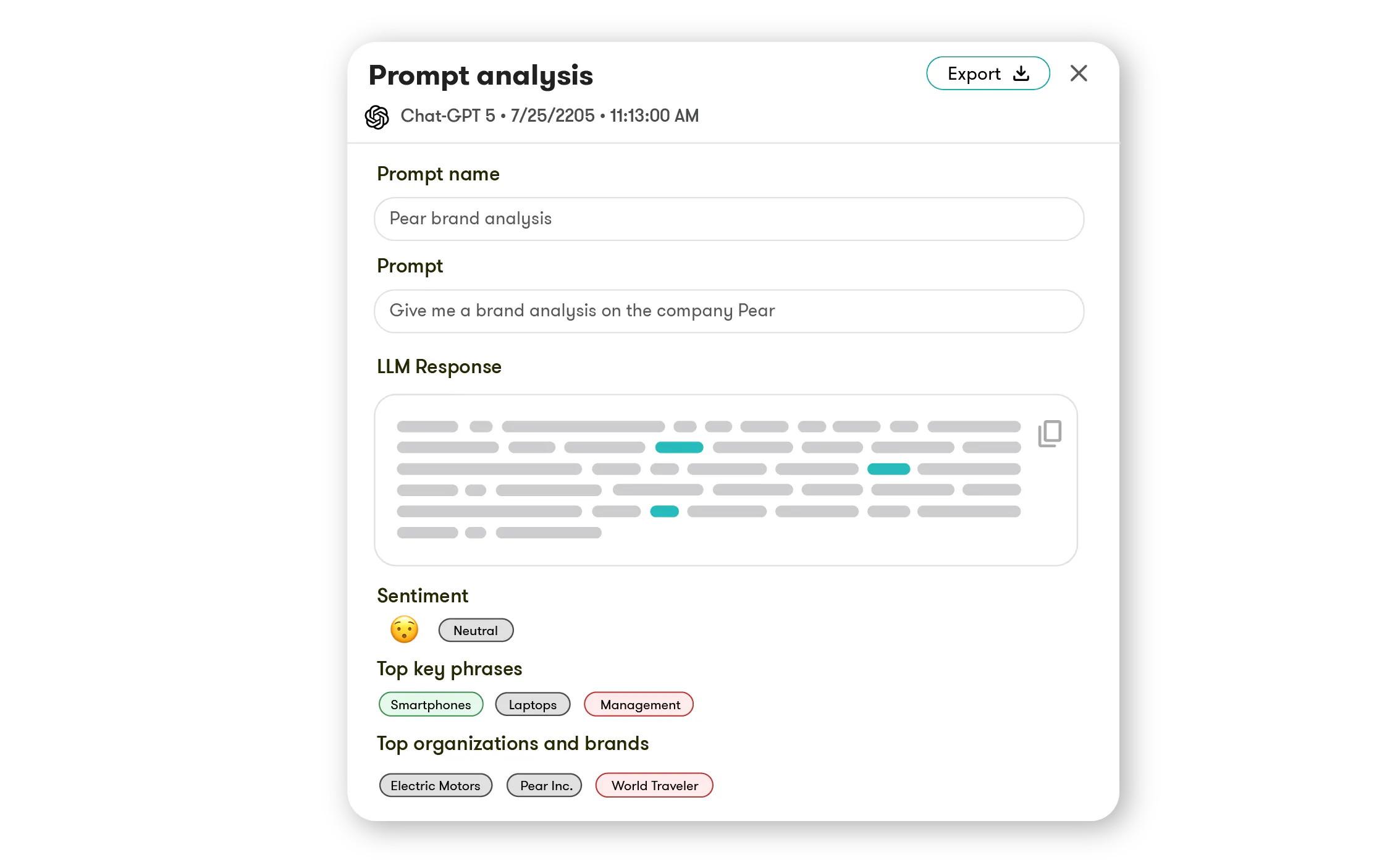
Absolutely—every data point in trends, benchmarking, and sentiment can be clicked to surface the actual LLM responses behind it. You'll see the exact text each model generated, the sentiment, key phrases, organizations mentioned, and which sources were cited, all in one view.
The tool automatically generates a prioritized action plan each week based on what the data reveals about your AI visibility. Instead of just flagging issues, it tells you specifically what to do to improve how AI represents your brand.
Yes—the Sources tab shows you the top journalists whose content is being cited most in AI outputs about your brand. You can open their profiles to see recent articles, beats, and contact details, then add them to media lists or email them directly from the platform.
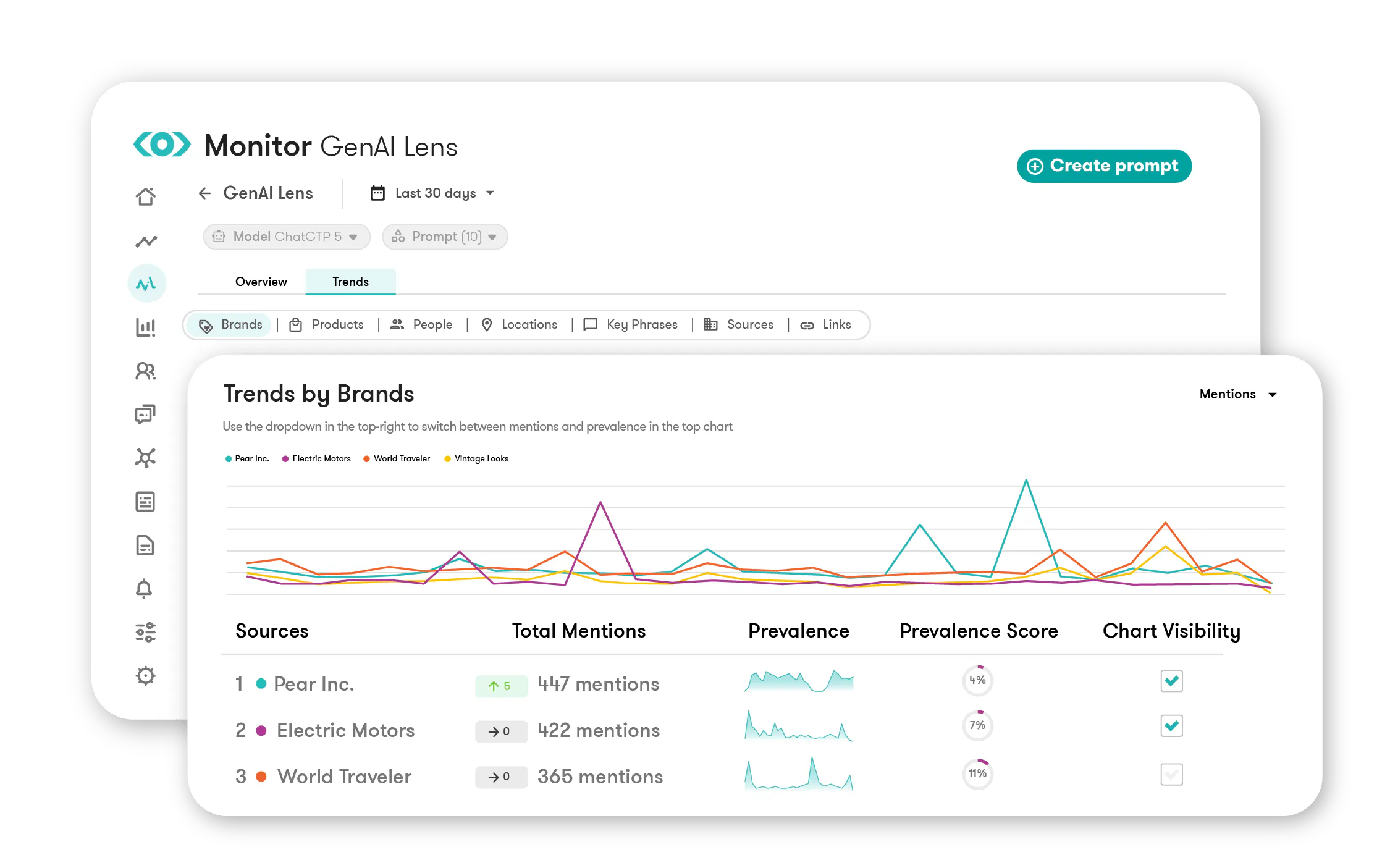
In the Trends, Benchmarking, and Sentiment tabs, you can drill into specific entity categories to see granular performance breakdowns. This lets you track how individual products, executives, locations, or key phrases are performing across AI models compared to competitors.
We want to make sure the platform fits your specific needs, and your team actually adopts it. GenAI Lens is added to your existing Meltwater platform license, and our team helps you set up the right topic folders, competitive benchmarks, and monitoring strategy specific to your brand during onboarding sessions.